
37 lines
1.1 KiB
Markdown
37 lines
1.1 KiB
Markdown
# Registering Your App
|
||
|
||
<br />
|
||
|
||
Before integrating with Alpaca, you’ll need to create a new OAuth application from your Alpaca Connect Apps page.
|
||
|
||
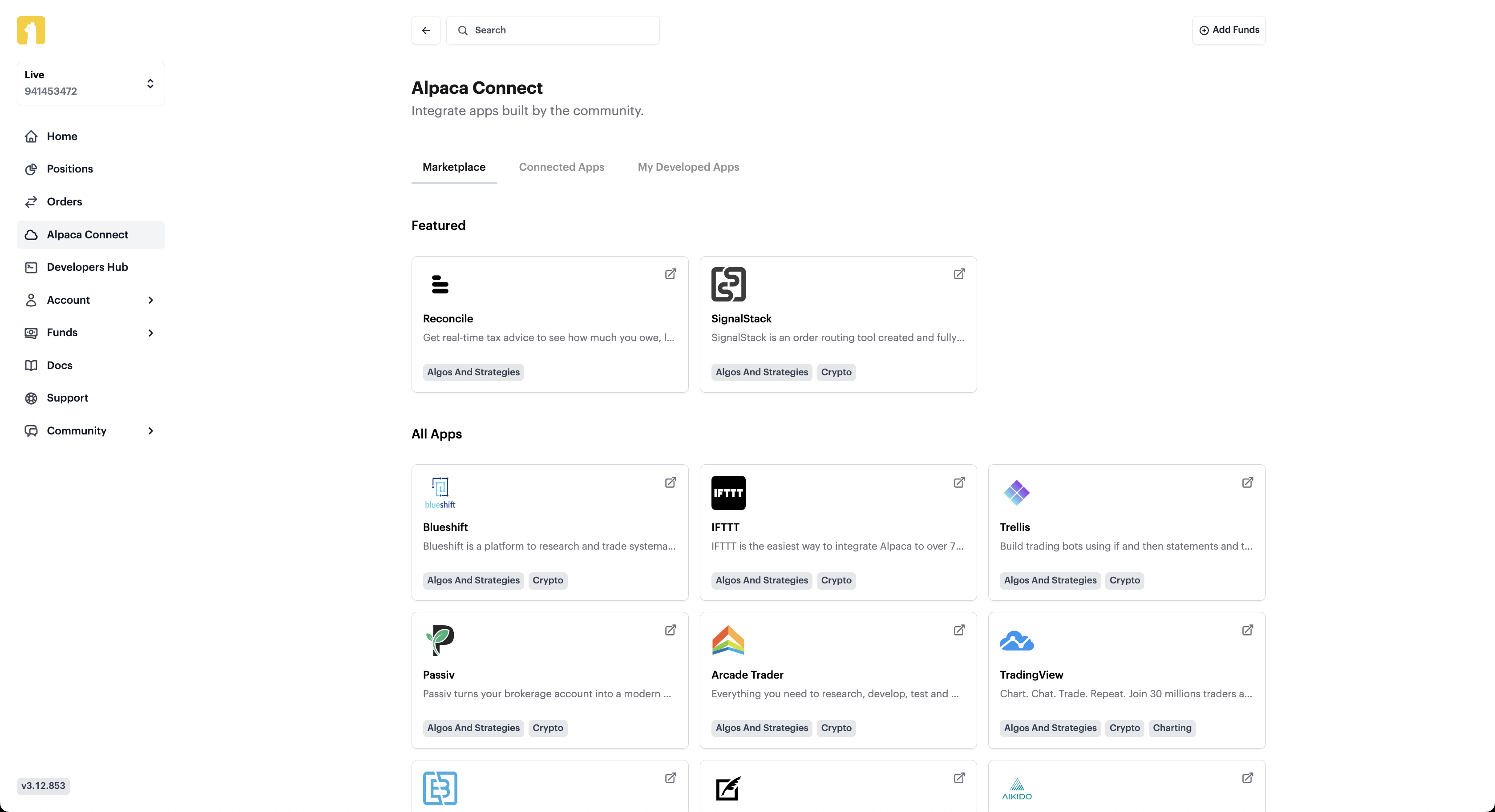
You can access the [Alpaca Connect](https://app.alpaca.markets/connect) page through your dashboard after logging into your Alpaca brokerage account
|
||
|
||
### 1. Visit [Alpaca Connect](https://app.alpaca.markets/connect) on the Dashboard
|
||
|
||
|
||
|
||
### 2. Navigate to My Developed Apps Tab
|
||
|
||
<br />
|
||
|
||
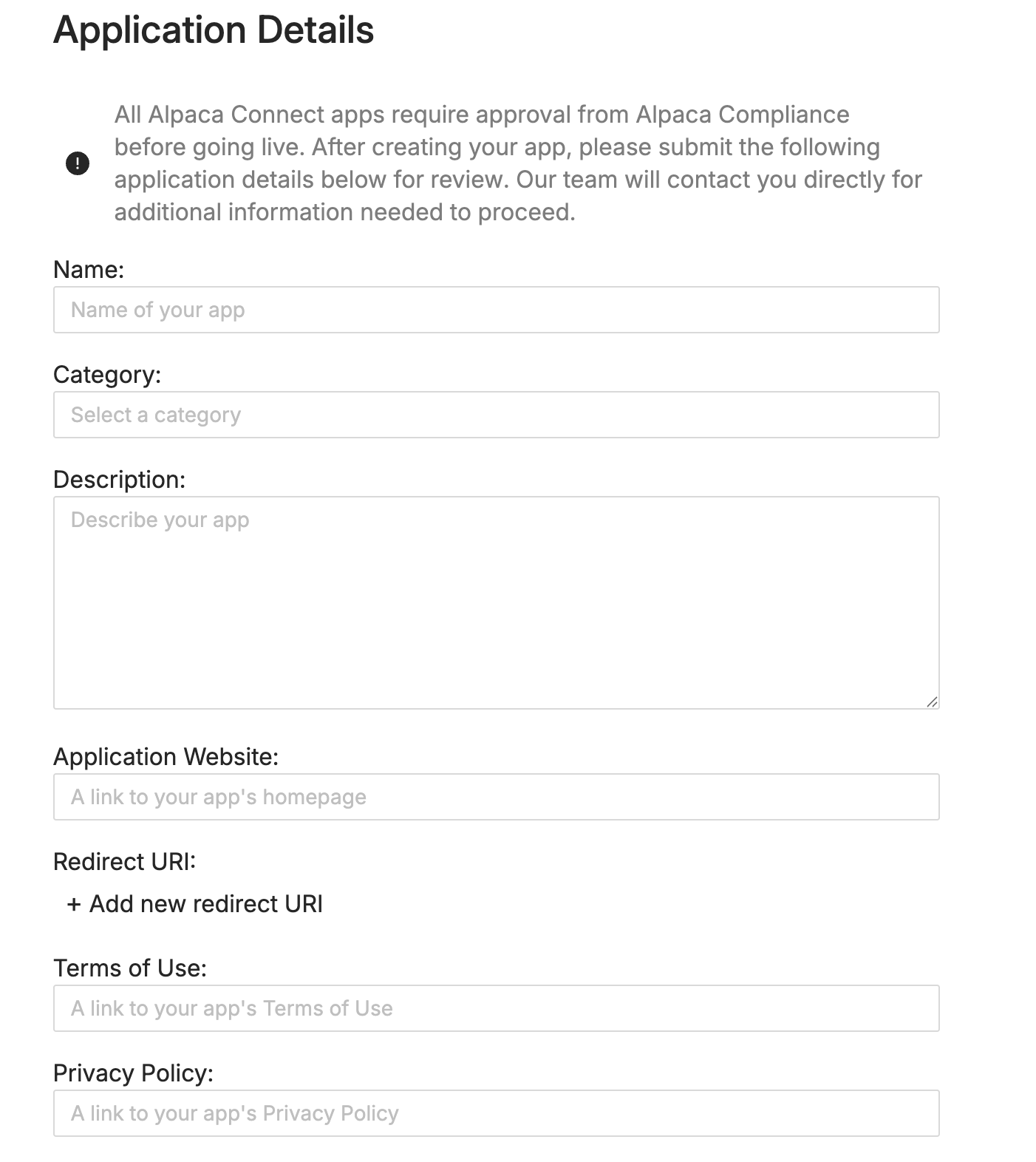
### 3. Click on Submit Your App and Fill in the Details
|
||
|
||
Please complete the Alpaca Connect Application for our team to review.
|
||
|
||
|
||
|
||
<br />
|
||
|
||
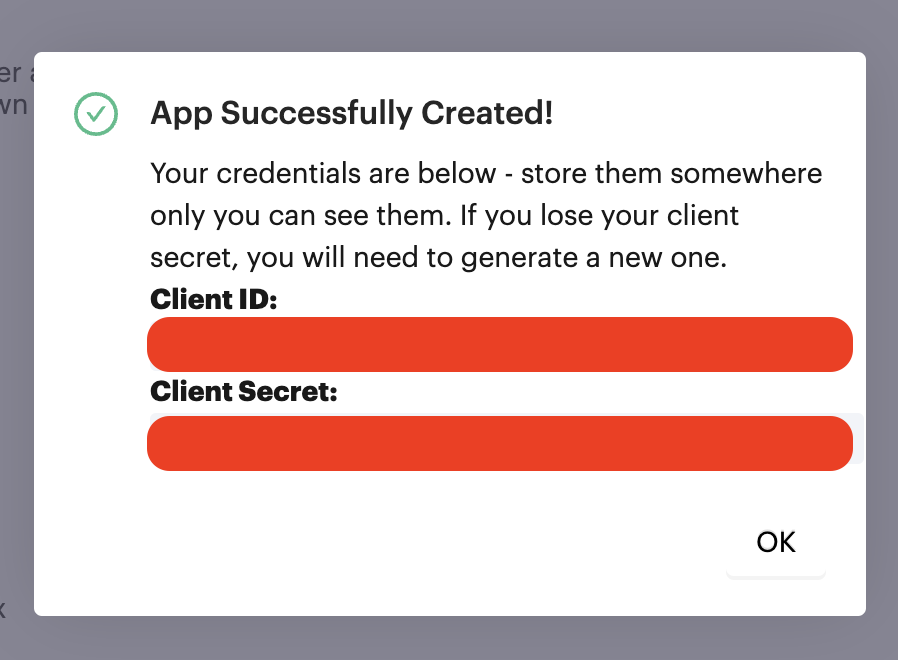
### 3. Obtain Your Credentials
|
||
|
||
Once you add your relevant information and create the app, you will receive your Client ID and Client Secret. Please be sure to safely store this.
|
||
|
||
|
||
|
||
<br />
|
||
|
||
### 4. Application Review
|
||
|
||
Once your application has been submitted, our team will follow up with you shortly via email to complete the remaining process.
|
||
|
||
<br /> |